
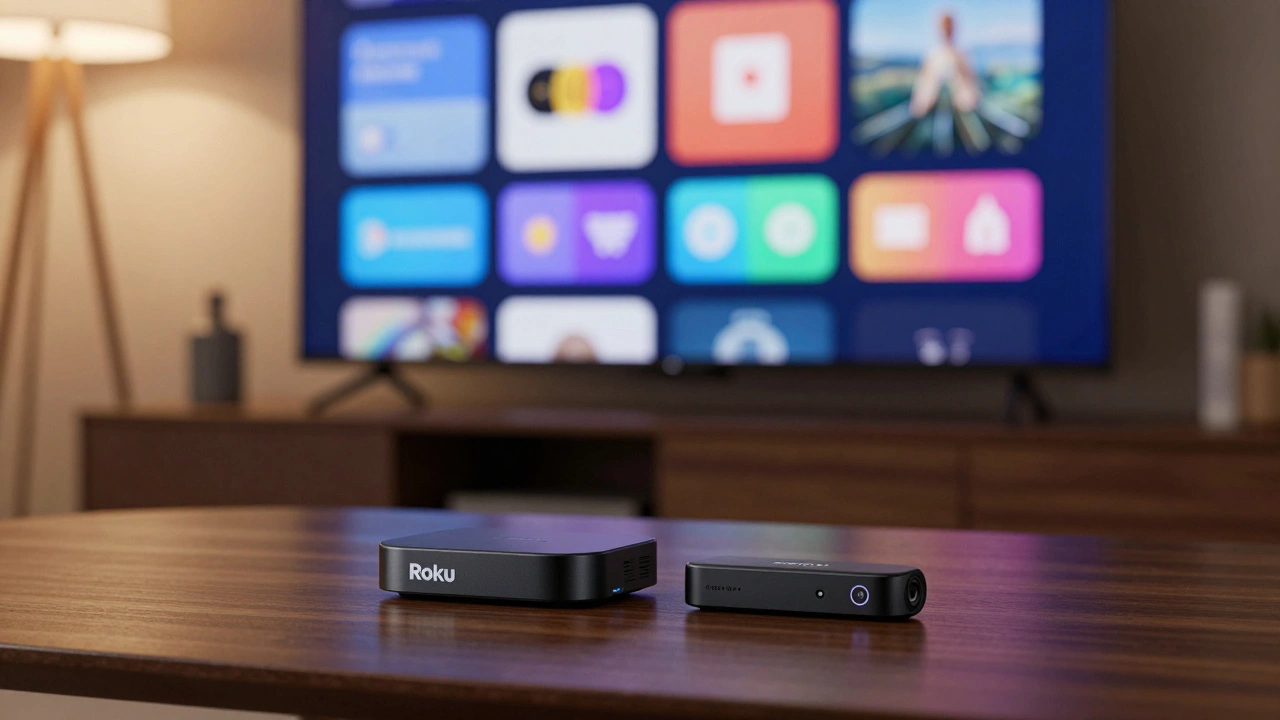
Roku vs Firestick: Which One Should You Buy?
Answer these 5 questions to find the perfect streaming device for your setup.
Roku Streaming Stick
0%Amazon Fire TV Stick
0%Why this recommendation?
Analysis pending...
You’re standing in the electronics aisle (or scrolling through Amazon), staring at two tiny black sticks that promise to turn your dumb TV into a smart entertainment hub. One is from Roku, the other from Amazon. They look almost identical. They cost roughly the same. But plug in the wrong one, and you might find yourself fighting with an interface you hate or missing out on audio features your soundbar supports.
The short answer? There is no single "best" device. The winner depends entirely on what kind of viewer-and what kind of home-you have. If you want a neutral, simple experience that just works, Roku is your friend. If you are deep in the Amazon ecosystem, love gaming, or demand high-end audio formats like Dolby Vision, the Fire TV Stick is likely the better fit for you.
Let’s break down exactly why one might beat the other in 2026, looking past the marketing fluff to the real-world performance, interface quirks, and hidden costs.
The Interface War: Neutral Grid vs. Amazon Hub
The biggest difference between Roku is a streaming platform known for its agnostic, tile-based interface that treats all apps equally and Amazon Fire TV is a streaming platform deeply integrated with Amazon's retail and content ecosystem isn’t the hardware-it’s the software philosophy.
Roku’s home screen is a grid of tiles. It’s clean, predictable, and boring in the best possible way. When you search for a movie, Roku aggregates results from Netflix, Hulu, Disney+, and even free services like Tubi, showing you where it’s available without pushing one service over another. This neutrality is huge if you subscribe to five different services and don’t want the remote to judge your choices.
Fire TV, by contrast, feels like walking into an Amazon store. The home screen is dominated by Prime Video recommendations, Amazon Channels, and promotional banners. If you are a heavy Prime user, this is convenient. You can start watching a show immediately without digging through menus. But if you mostly watch Netflix and YouTube, you’ll spend half your time swiping past ads for products you don’t need. Recent reviews note that while Fire TV’s new Vega OS is Amazon's newer operating system replacing Fire OS, offering improved performance but reduced third-party app compatibility is faster, it still leans heavily into promoting Amazon’s own content.
The Verdict: Choose Roku if you want a minimalist launcher. Choose Fire TV if you want an integrated media hub that prioritizes Amazon content.
Picture and Sound: Do You Care About HDR Formats?
If you have a budget TV that only does standard HD or basic 4K, this section won’t matter much. But if you invested in a premium OLED or QLED TV and a nice soundbar, the technical specs become critical.
| Feature | Roku Streaming Stick 4K / Ultra | Fire TV Stick 4K / 4K Max |
|---|---|---|
| HDR Support | HDR10, HDR10+ | HDR10, HDR10+, Dolby Vision |
| Audio Support | Dolby Audio | Dolby Atmos, DTS-HD |
| Wi-Fi Standard | Wi-Fi 5 (802.11ac) | Wi-Fi 6E (on 4K Max model) |
| Remote Features | IR Blaster (Ultra only), Voice Search | Alexa Built-in, TV Controls (IR) |
Here is the deal-breaker for audiophiles and cinephiles: **Dolby Vision**. Most high-end TVs support Dolby Vision, which offers dynamic metadata for better color and contrast scene-by-scene. Roku’s current lineup generally supports HDR10+ (Samsung’s preferred format) but lacks widespread Dolby Vision support on its sticks. Fire TV sticks, particularly the 4K and 4K Max models, fully support Dolby Vision.
Similarly, if you have a sound system that supports object-based audio, Fire TV passes through Dolby Atmos is an advanced audio format that creates immersive, three-dimensional sound effects. Roku sticks typically cap out at Dolby Audio. Unless you have a very specific Samsung TV setup that prefers HDR10+, Fire TV wins on pure media quality.
Voice Control: Alexa vs. Roku Voice
Both remotes have microphones. Both let you say, “Find action movies,” and get results. But the underlying brains are different.
Fire TV has Alexa is Amazon's virtual assistant, deeply integrated into Fire TV for voice control and smart home management baked in. This means you can ask your TV remote to dim the lights, check the weather, or play music on your Echo Dot speakers. It turns your TV into a smart home command center. For users who already have a house full of Alexa devices, this integration is seamless and powerful.
Roku uses its own voice assistant, though it also works with Alexa and Google Assistant via external speakers. Roku’s voice search is excellent for finding content across apps because it doesn’t care who owns the content. However, it lacks the deep smart-home control capabilities of Alexa. You can’t easily control your Philips Hue bulbs directly from the Roku remote in the same intuitive way you can with Fire TV.
The Verdict: If you use Alexa for everything, Fire TV is a no-brainer. If you just want to search for shows without typing, both are fine, but Roku’s search is often more accurate for cross-platform discovery.
Gaming and Apps: The Flexibility Factor
Streaming sticks aren’t just for Netflix. Many people use them for casual gaming or niche apps.
Historically, Fire TV was based on Android, which allowed power users to "sideload" apps-installing games or tools not found in the official store. This made it a favorite for retro gaming enthusiasts using emulators. However, with the shift to Vega OS in 2024-2025, this flexibility has decreased. Newer Fire TV sticks are more locked down, similar to Roku. That said, Fire TV still offers a more robust gaming library through the Amazon Appstore, including support for dedicated game controllers.
Roku’s gaming scene is limited to casual, browser-style games. You won’t find complex titles here. But for the average user who just wants to watch sports, news, or mainstream streaming apps, both platforms offer virtually identical catalogs. Netflix, Disney+, Hulu, HBO Max, and YouTube work perfectly on both.
One note for international users: In Europe and the UK, Roku has been expanding rapidly, adding local apps like BBC iPlayer and ITVX. Fire TV has traditionally had broader availability in global markets due to Amazon’s retail footprint, so check your local app store before buying if you live outside the US.
Price and Value: Who Wins the Wallet Test?
In 2026, the price gap between these devices is smaller than ever, but the value proposition differs.
- Budget Tier: The Fire TV Stick Lite is Amazon's entry-level streaming device, often priced around $30, offering HD streaming and basic features often goes on sale for under $30. CNET and other reviewers frequently cite it as the best budget option, beating the Roku Express on raw performance per dollar. However, it lacks an IR blaster for controlling your TV’s volume.
- Mid-Range 4K: The Roku Streaming Stick 4K and Fire TV Stick 4K usually retail between $40 and $50. Here, the choice comes down to features (Dolby Vision/Alexa for Fire TV) vs. simplicity (clean UI for Roku).
- Premium: The Fire TV Cube ($130+) and Roku Ultra ($100+) add Ethernet ports and stronger processors. The Cube adds hands-free Alexa; the Ultra adds an IR blaster and headphone jack.
Amazon tends to discount Fire TV sticks more aggressively during sales events like Prime Day or Black Friday. Roku prices are steadier. If you can wait for a sale, Fire TV often offers better hardware specs for the same price.
Setup and Ease of Use: The Grandma Test
Imagine giving this device to your parents or grandparents. Which one will they actually use?
This is where Roku shines. The setup takes about 10 minutes. The menu is linear. There are no confusing subscription prompts popping up every time you open the home screen. Users consistently report that Roku is the "set it and forget it" device. The remote layout is consistent across all models, so if you upgrade, you don’t have to relearn anything.
Fire TV setup is also quick, but the ongoing experience can be cluttered. New users often get confused by the sheer number of options, ads, and promotional tiles. If the person using the TV is tech-savvy, they’ll appreciate the customization. If they just want to watch their soap operas, Roku’s simplicity reduces frustration.
Final Recommendation: Which One Should You Buy?
Don’t buy the "better" device. Buy the device that fits your life.
Buy the Roku Streaming Stick 4K if:
- You want a clean, ad-lighter interface (though ads are increasing).
- You subscribe to multiple streaming services and want neutral search.
- You are setting this up for non-tech-savvy family members.
- Your TV is Samsung-based (HDR10+ support).
Buy the Fire TV Stick 4K Max if:
- You have a Dolby Vision-compatible TV and want the best picture quality.
- You use Alexa for smart home control.
- You are a Prime Video member and want quick access to Amazon content.
- You want Wi-Fi 6E for faster, more stable streaming in crowded networks.
- You enjoy casual gaming on your TV.
Both devices will stream 4K video smoothly. Both will last you several years. The difference is purely in how they make you feel while you’re watching. Do you prefer a quiet, organized room (Roku) or a bustling, feature-rich marketplace (Fire TV)? Pick accordingly.
Is Roku or Firestick better for Netflix?
Both Roku and Firestick support Netflix in 4K HDR with no significant difference in playback quality. The choice depends on interface preference: Roku offers a simpler, more neutral home screen, while Firestick integrates Netflix alongside Amazon Prime recommendations. Neither device restricts Netflix functionality.
Does Roku support Dolby Vision?
As of 2026, most Roku streaming sticks do not support Dolby Vision. They primarily support HDR10 and HDR10+. If Dolby Vision is essential for your viewing experience, the Amazon Fire TV Stick 4K or 4K Max is the better choice, as it fully supports Dolby Vision on compatible TVs.
Can I use Alexa with Roku?
Yes, but indirectly. Roku remotes have built-in voice search powered by Roku Voice, but you can also use Alexa-enabled devices (like Echo speakers) to control Roku functions such as searching for content or launching apps. However, Fire TV has Alexa built directly into the remote and OS, offering deeper integration for smart home control.
Which is faster: Roku or Firestick?
In general, the higher-end Fire TV Stick 4K Max and Fire TV Cube are faster due to more powerful processors and Wi-Fi 6E support. Among mid-range devices, the Roku Streaming Stick 4K and Fire TV Stick 4K perform similarly for everyday streaming. Lower-end models like the Roku Express may feel slower when navigating large app libraries compared to the Fire TV Stick Lite.
Do I need an internet subscription to use Roku or Firestick?
You need a stable internet connection to stream content, but you do not need a specific subscription to use the device itself. Both Roku and Firestick offer free content through platforms like The Roku Channel, Freevee, and Pluto TV. However, accessing premium content from Netflix, Disney+, or Prime Video requires separate paid subscriptions to those services.
Why did Amazon change Fire TV to Vega OS?
Amazon introduced Vega OS to improve performance, security, and battery efficiency on newer devices. While it offers a smoother experience for major apps like Netflix and YouTube, it has reduced support for sideloading third-party Android apps and older games, making the platform more controlled and similar to Roku’s walled-garden approach.